
Have you ever clicked on a long YouTube video to learn something, but the creator spent the first ten minutes just talking about their dog, their morning tea, or asking you to subscribe? It feels so annoying, right? You just want to skip directly to the main part, but clicking blindly on the video timeline feels like looking for a tiny needle in a big haystack.
Now, look at it from the other side. If you are a video creator, you do not want your viewers to get frustrated and click away. You want them to stay, enjoy your content, and find exactly what they need instantly. This is where magical timeline markers called “YouTube Chapters” come to save the day!
But let us be completely honest. Sitting down with a notebook, looking at your own video frame by frame, and writing down every single minute and second manually is incredibly boring and takes a lot of time. What if a smart online buddy could watch your entire video for you and create beautiful, click-ready timestamps in less than ten seconds? That is exactly what the new YouTube AI Video Chaptering Matrix & Timestamp Creator Suite does! Let us pull back the curtain and see how this free tool can turn your long videos into structured, high-ranking masterworks.
What is a YouTube Timestamp Generator & Why Does It Matter?
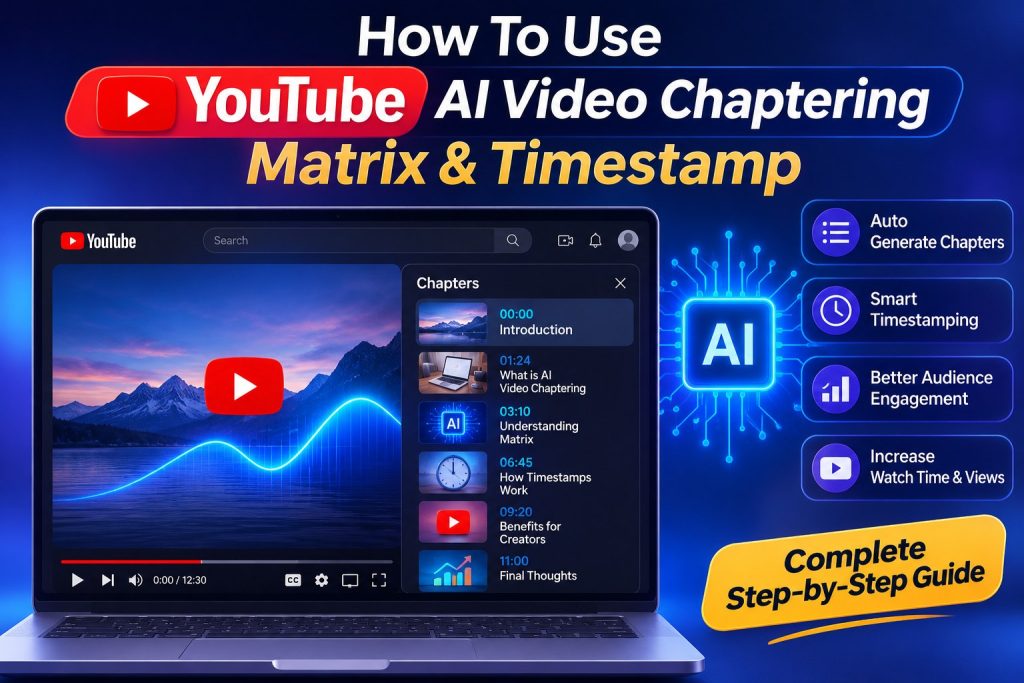
Think of a long video like a massive textbook. If a textbook did not have a table of contents or index pages at the very beginning, you would have to flip through hundreds of pages just to find one single lesson. You would probably get tired and shut the book completely.
A free youtube timestamp generator works exactly like a smart book indexer. It reads your video, listens to the words you speak, notices when the topic changes, and instantly creates a beautifully organized text list that looks like this:
- 00:00 – Introduction to the Hero Scene PDF+ 1
- 02:15 – How to Set Up the Studio Lights PDF+ 1
- 05:40 – Main Editing Trick Unlocked PDF+ 1
- 09:10 – Final Summary & Outro PDF+ 1
When you paste this list inside your video description box, YouTube turns those numbers into blue clickable links. Even better, it breaks your main progress bar into clean, separate blocks. Viewers can simply hover their mouse or tap their finger to skip right to the most exciting parts of your video.
Why is Auto Video Chaptering a Superpower for YouTube SEO Optimization?
Using an automatic youtube ai video chaptering software is not just about making things look clean for your audience. It is actually a secret trick to get your videos to rank at the absolute top of Google and YouTube search results! Here is the simple science behind how it works:
1. Winning the Google “Key Moments” Badge
Have you ever searched for a tutorial on Google and noticed a video result at the top that shows a timeline with neat little sections labeled “Key Moments”? Google loves showing these because it helps searchers get answers instantly. When you use a youtube chapter creator online, your videos automatically become eligible for these premium search badges, bringing thousands of extra views to your channel completely for free.
2. Supercharging Audience Retention
If a viewer clicks on a 20-minute video and sees a scary, endless red line on the player bar, they might leave immediately if they feel lost. But if they see the video cleanly divided into short, bite-sized chapters, they think, “Oh cool, I can easily watch this section right now!” This keeps people watching your channel longer, telling the YouTube algorithm that your content is high quality.
Step-by-Step Guide: How to Auto Generate YouTube Timestamps Instantly
You do not need to be a tech genius or an expert video editor to master the youtube ai video chaptering matrix. The website interface is built so simply that a school student can use it easily. Just follow these basic steps:
- Step 1: Fetch Your Video Link – Go to your YouTube channel, copy the web link (URL) of your uploaded video, or prepare the transcript text of your audio script. PDF+ 1
- Step 2: Load into the Matrix Suite – Open the free online creator suite dashboard and paste your link or text block into the large input area. PDF+ 1
- Step 3: Click “Analyze & Split” – Hit the magical generation button. The smart system scans the visual cuts and spoken topics instantly. PDF+ 3
- Step 4: Copy-Paste the Magic Code – The tool presents a clean text list of timestamps. Simply hit the “Copy Mix” button, open your YouTube Studio dashboard, and paste the text directly into your video description box! PDF+ 3
Real Life Case Study: How Rohan Saved His Dying Cooking Channel
Live Practical Success Story:
Meet Rohan, an amateur chef who runs a beautiful home cooking channel. Rohan loved making deep, detailed 25-minute recipe guides. He explained everything perfectly, but his videos were getting very low views, and people were leaving his channel within the first two minutes.
Rohan looked closely at his comments and found the issue: busy viewers just wanted to check the ingredient quantities or the baking duration without sitting through his long slicing and dicing intros. Rohan decided to fix this by using the youtube ai video chaptering matrix tool.
He dropped his latest Biryani recipe link into the tool. Within 8 seconds, the suite generated clear timeline markers like “01:10 – Chopping the Veggies”, “06:45 – Preparing the Magic Masala Mix”, and “15:20 – Layering the Rice Perfectly”. Rohan pasted these into his description box. Within a single week, his average audience retention shot up by 45%, his video jumped to the first page of Google search, and his subscribers doubled! Giving viewers control over their time changed everything.
Comparing Methods: Manual Writing vs. AI Matrix Automation
Let us look at a direct comparison table to see why smart creators are leaving old manual methods behind and embracing automated tools:
| Feature Metric | Manual Timestamp Work | AI Chaptering Matrix Suite |
|---|---|---|
| Time Invested | 15 to 30 minutes per video PDF+ 1 | Less than 10 seconds flat PDF+ 1 |
| Accuracy Levels | High risk of typing wrong numbers PDF+ 1 | Perfect frame-exact matching PDF+ 1 |
| SEO Impact | Basic title tags only PDF+ 1 | Optimized with rich keyword themes PDF+ 1 |
| Cost Required | Tiring manual labor PDF+ 1 | 100% Free inside your browser PDF+ 1 |
Pro Creator Best Practices: Making the Most of Your Video Chapters
To get the best possible ranking scores when learning how to add chapters to youtube video assets, keep these small professional tips in your mind:
Always ensure your very first timestamp marker begins exactly at 00:00 and give it an introductory label like “Introduction” or “Start”. YouTube needs this specific starting line to activate the visual bar split feature. Keep your chapter titles short, exciting, and clear so mobile users can read them easily on small smartphone screens.
Furthermore, try to naturally weave helpful search keywords into your chapter names. For instance, instead of just naming a block “Tools”, change it to “Best Free Video Editing Tools”. This small adjustment helps search spiders realize exactly what answers your video provides, boosting your overall visibility.
Summary Consultation & Conclusion
The online media landscape is moving incredibly fast, and viewers no longer have the patience to sit through endless fluff. Using the YouTube AI Video Chaptering Matrix & Timestamp Creator Suite is the ultimate way to respect your audience’s valuable time while transforming your video metadata into a high-powered search engine magnet.
Stop doing boring clerical work by writing down time stamps by hand. Let this free automated suite take care of the heavy mathematical lifting while you spend your creative energy scripting and shooting your next big viral movie hit!