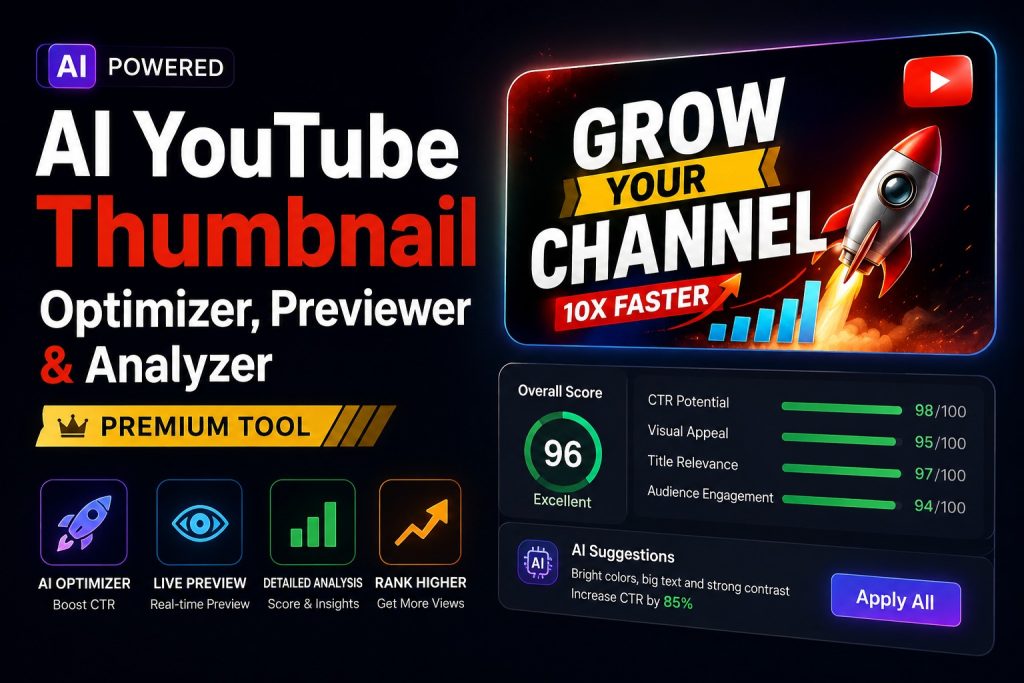
Are you looking for the best free youtube thumbnail optimizer to test your video graphics before publishing? Look no further than this all-in-one AI youtube thumbnail previewer and professional youtube thumbnail analyzer online dashboard designed to boost youtube CTR instantly. Creators can now easily optimize video thumbnails for mobile, check visual contrast, and preview youtube thumbnails across multiple device screens completely for free to ensure their channel gets maximum clicks and views.
Why is Your YouTube Thumbnail More Important Than the Video Itself?
Imagine you are walking down a busy street and you see a beautiful, shiny candy shop with big colorful lights at the entrance. You would instantly want to walk inside, right? But what if the shop had a broken, dark, and boring door? Even if they sold the world’s best chocolates inside, you would probably just walk past it.
On YouTube, your video thumbnail is that front door!
You can spend three days editing the most amazing video with top-quality sound and movie-like transitions. But if your thumbnail looks boring, dark, or messy, nobody is going to click on it. In the online world, this clicking rate is called CTR (Click-Through Rate). A higher CTR tells the YouTube robot brain that your video is super exciting, pushing it to go viral.
But how do you know if your thumbnail looks good on a small mobile screen before you upload it? That is where the AI YouTube Thumbnail Optimizer, Previewer & Analyzer suite comes to save your day!
What Does a YouTube Thumbnail Analyzer Online Do?
Think of this tool as a smart digital mirror for your video artwork. When you upload your newly designed image into the creator suite, it runs three major checks instantly:
1. The Real-Time Screen Previewer
Most people watch YouTube on their mobile phones while riding a bus, sitting on a sofa, or lying in bed. A design that looks beautiful on a giant laptop screen might look tiny, blurry, and unreadable on a small phone. This tool lets you preview youtube thumbnails exactly how they will look on desktop homepages, mobile feeds, and sidebar recommendations.
2. The Color & Text Contrast Test
If you write white text on a light yellow background, nobody can read it. The smart analyzer scans your image layers to check if your text stands out properly and if your facial expressions (like a shocked or happy face) are easily visible even to a casual scroller.
3. The Competitor Visual Battle
It places your thumbnail right next to the top-trending videos in your niche. This allows you to see if your design stands out or gets completely lost in the crowd.
Step-by-Step Guide: How to Optimize Your Graphics for Maximum Clicks
Using this free youtube thumbnail optimizer dashboard is incredibly fast and simple. Follow these 4 basic steps to audit your designs:
- Step 1: Upload Your Image File – Drag and drop your JPG or PNG thumbnail design directly into the upload box on the website.
- Step 2: Check the Multi-Device Grid – Look at the preview panel. See how your artwork looks on a mobile device layout next to the dark mode and light mode feeds.
- Step 3: Read the AI Analytical Score – The engine will give you a visual feedback score (e.g., “Text size is too small” or “Contrast is perfect”).
- Step 4: Download & Publish – Make the quick changes if suggested, test it again, and upload the perfect, optimized version straight to your YouTube Studio dashboard.
Real Life Case Study: How Pooja Boosted Her Vlogging Channel Clicks
🎬 Live Practical Success Story:
Meet Pooja, a 20-year-old travel vlogger. She was making fantastic street food tour videos, but her click rates were stuck at a terrible 2.5%. She was feeling highly discouraged because her hard work wasn’t gaining traction.
One day, she decided to run her designs through the AI youtube thumbnail previewer suite. When she uploaded her image, she instantly noticed a major flaw: the YouTube timestamp length box (the little black box that shows video duration like 12:45) was completely covering the main text she had written on the bottom right corner! On mobile screens, her text was totally blocked out.
Pooja quickly shifted her text to the left side, increased the background brightness by 15%, and re-checked it using the youtube thumbnail analyzer online system. The new design looked bold and vibrant. Within just three days of changing the thumbnail on her old video, her CTR jumped from 2.5% to a massive 11.8%, bringing in over 40,000 fresh views on a dead video!
Comparing Methods: Manual Guessing vs. AI Analyzer Suite
Let us look at a direct comparison table to understand why top creators use automated optimization suites instead of just guessing:
| Evaluation Feature | Old Manual Guessing Method | AI Optimizer & Preview Suite |
|---|---|---|
| Mobile Check | Uploading blindly and checking on phone after publishing | Live mobile grid simulation before uploading |
| Text Readability Test | Guessing by zooming out on your editing software | Scientific contrast checking score |
| Time Wasted | Hours spent re-uploading if the design looks wrong | Less than 5 seconds to analyze everything |
| Cost to Use | High risk of losing initial launch day views | 100% Free inside your internet browser |
Pro Creator Best Practices: Rules for High-Converting Thumbnails
To get the absolute best results out of your youtube image testing tool, always keep these golden rules in mind while designing:
First, always remember the “Rule of Three”. A great thumbnail should only have three visual elements: one clear human face or main object, one vibrant background, and a maximum of 3 to 4 words of bold text. Do not repeat your video title on the thumbnail image; instead, use complementary, high-curiosity words that force the viewer to click.
Second, when you optimize video thumbnails for mobile, ensure your font sizes are thick and contrast beautifully with the background layer. Colors like bright yellow, neon green, and warm red naturally attract the human eye much faster than dull browns or greys. Always use the preview suite to check if the bottom right corner is clear of crucial information so the YouTube video timer badge doesn’t hide your words.
Summary Consultation & Conclusion
In the hyper-competitive world of online video creation, you only have a split second to capture a user’s attention before they scroll past your content forever. The AI YouTube Thumbnail Optimizer, Previewer & Analyzer suite takes the guesswork out of the equation, giving you the exact data layout you need to boost youtube CTR like a professional studio network.
Stop losing thousands of potential subscribers due to dark, cluttered, or cut-off designs. Make it a habit to drop your artwork into this free online dashboard before every single upload, and watch your channel analytics charts climb to the next level!