AI Audio Vocal Isolator Have you ever listened to a super hit movie song and thought, “Wow, I wish I could remove the singer’s voice and just keep the awesome background music (Dhol, Guitar, Piano) for my own video?” Or maybe you wanted to do the opposite—keep only the clean voice of the hero or singer and remove all the noisy background sounds?
Well, guess what? You don’t need to be a big Bollywood music director or own a costly recording studio to do this anymore!
Today, we are going to talk about a magical online tool that does exactly this in just one single click: The AI Audio Vocal Isolator, Remover & Splitter.
Let’s dive deep and see how this amazing tool can change the way you make videos, reels, or sing karaoke!
What is an AI Vocal Isolator & Splitter? (In Simple Words)
Imagine you have a glass of chocolate milk. Can you separate the chocolate powder and the milk back into two different glasses? No, right? It sounds impossible!
A song is just like that chocolate milk. It has the singer’s voice (Vocals) mixed completely with the musical instruments (Beats, Drums, Guitar).
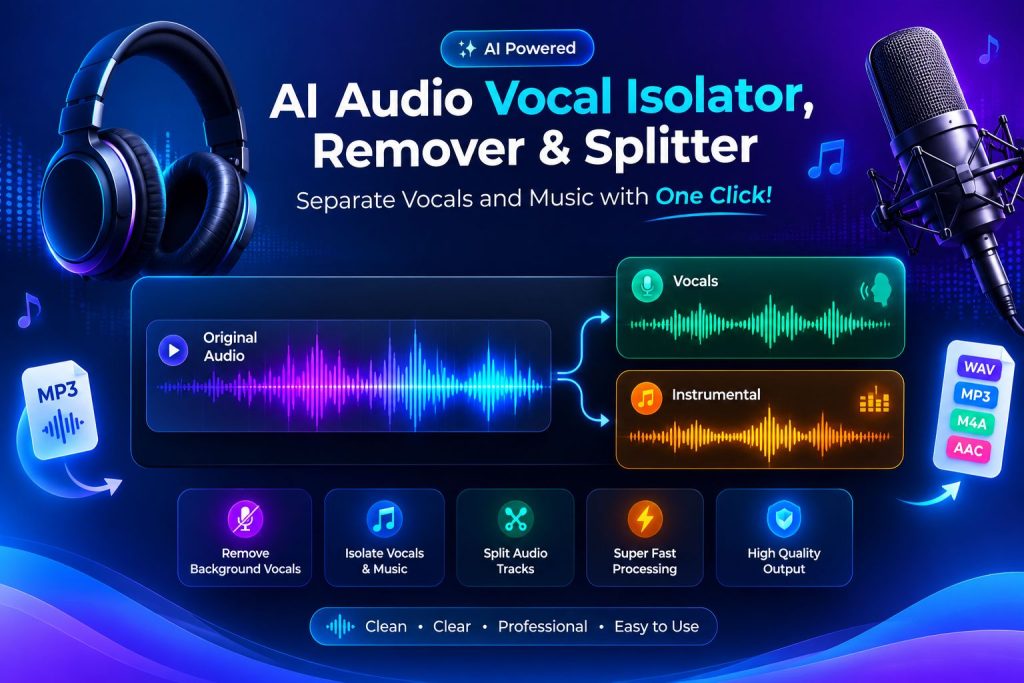
But this special AI Audio Splitter tool works like real magic. When you give it any song, its smart robot brain instantly separates the song into two clean parts:
- The Vocals Track: Only the pure, clean voice of the singer. No background music at all!
- The Instrumental Track (BGM): Only the beautiful background music. No human voice at all!
Why is this Tool a Game-Changer for Movie Makers & Creators?
If you make videos, shorts, YouTube reels, or short films, this single website is going to save you hours of hard work. Here is how different people can use it:
- For Filmmakers (Movie Makers): If you are editing a scene where a hero enters, you can take a famous song, remove the vocals, and use that high-energy background music (Dhol and heavy brass) for your scene. No copyright strikes on the voice!
- For Content Creators & Reel Makers: Want to speak over a famous movie background music trend? Just split the song, delete the vocals, and place your own voice over the clean music track.
- For Singers (Karaoke Lovers): If you love singing but don’t have the karaoke track of your favorite song, just upload it here. Boom! Your personal karaoke track is ready in 5 seconds.
Step-by-Step Guide: How to Use This Tool?
Using this online tool is as easy as playing a mobile game. You don’t need any editing training. Just follow these 4 simple steps:
- Step 1: Open the Tool: Go to the official link of the AI Audio Vocal Isolator & Remover.
- Step 2: Upload Your File: Click on the big upload button and select any audio or video song from your phone or computer.
- Step 3: Let the AI Mix: Wait for just 5 to 10 seconds. The smart system reads the sound waves and splits the instruments from the voice.
- Step 4: Download Your Tracks: You will see two separate “Play” buttons. One for the music, one for the voice. Click “Download” on the track you need, and you are good to go!
🌟 Live Example: How Aman Made a Hit Video Using This Tool
Let’s look at a real-life example to see how this works in action.
Meet Aman, a 19-year-old student who loves creating movie edit videos on Instagram. Aman wanted to make an intense edit video on a famous action hero’s entry scene.
The Problem: He loved the heavy Dhol and intense background theme of a popular film song, but the singer’s voice in that song was ruining the dialogs of his action video.
The Solution: Aman opened the AI Audio Vocal Isolator & Splitter tool. He uploaded the MP3 song. Within 6 seconds, the tool gave him two options. Aman muted the singer’s voice completely and downloaded the pure instrumental Dhol beat.
He put that clean music behind his video edit. The result? The video looked 100% professional, just like a real cinema trailer, and he got over 50,000 views in just one day! All thanks to a free online tool.
Key Features that Make this Tool the Absolute Best
There are many software tools in the market, but people love this specific online tool because of these great features:
| Feature Name | What it Does? | Why it’s Awesome? |
|---|---|---|
| Super High Quality | Keeps the sound clear and crisp. | The voice doesn’t sound robotic or broken. |
| Instant Speed | Splits the sound tracks in seconds. | You don’t have to wait for hours. |
| 100% Free to Use | No hidden charges or trial limits. | Anyone can use it without pocket money. |
| No Installation | Works directly inside your web browser. | Saves space on your phone and computer. |
Quick Summary & Final Consultation
If you are a creative person who works with audio, videos, or movies, the AI Audio Vocal Isolator, Remover & Splitter is like a superpower in your pocket. It breaks down any complex song into simple building blocks (Voice and Instruments) so you can create whatever you want.
Stop using heavy, complicated video editing apps that lag on your computer. Just open this web tool, upload your file, and let the smart engine do the heavy lifting for you for free.